RF Calc JP
RF Calc JP をご利用いただきありがとうございます。RF(高周波・無線)の電力・電圧・dB・VSWR などを、絶対値と相対値(dB)を混ぜて計算できるツールです。使い方とよくある質問をまとめました。
いちばんの特長:絶対値と dB を混ぜて計算
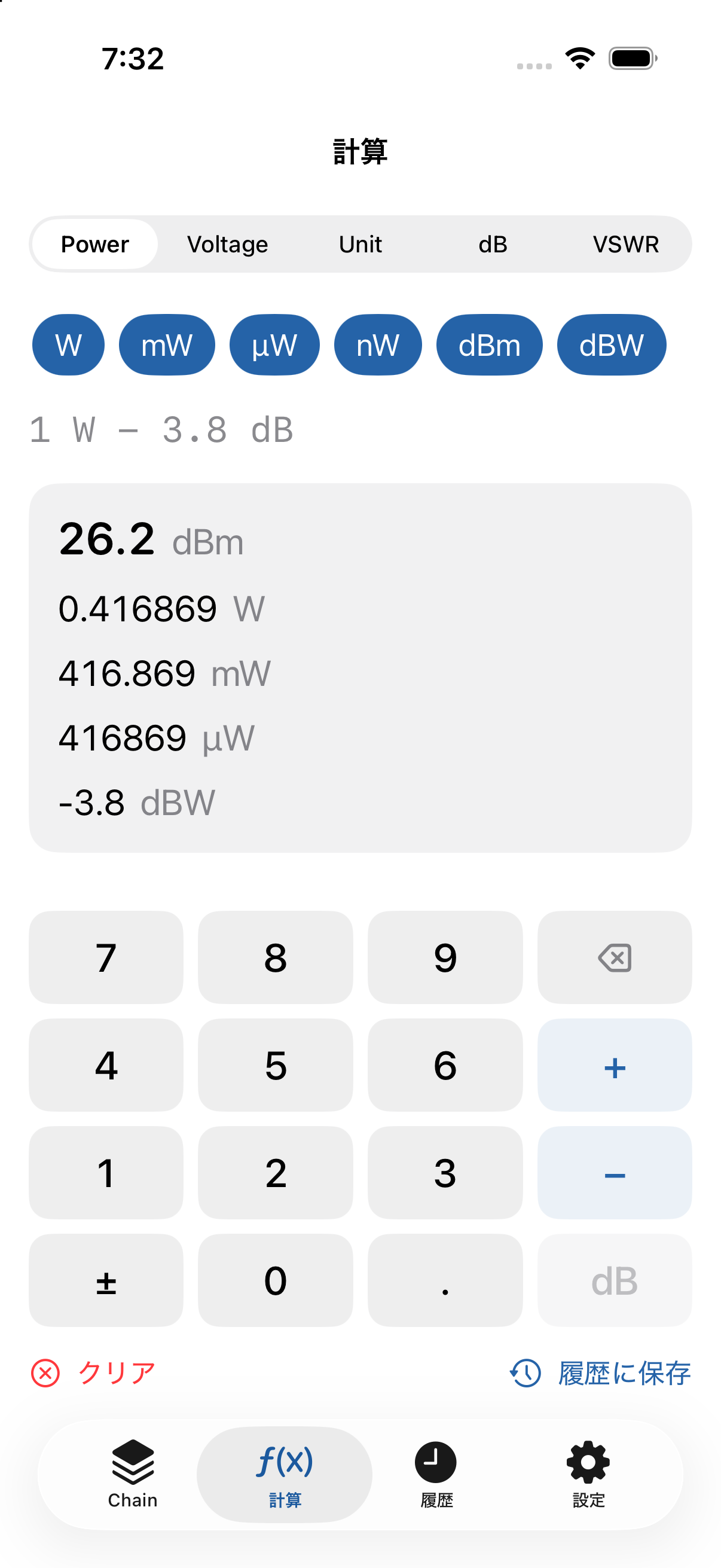
本アプリの中核は、電力の絶対値(W / mW / dBm など)に、利得・損失(dB)を続けて加減算できることです。たとえば無線機の出力からケーブル損失やアンプ利得を順に足し引きして、最終出力を求められます。
例:1 W − 3.8 dB → 26.2 dBm / 0.4169 W / 416.9 mW
基本的な使い方
- 下部のタブから計算の種類(Power / RF Chain / Voltage / 単位変換 / dB / VSWR / 効率)を選びます。
- 数値を入力し、テンキーのすぐ下の単位キー(W / mW / dBW / dBm)で絶対電力として、または dB キーで利得・損失として確定します。
- 必要に応じて
+−とdBを使って利得・損失を続けて入力します。 - 結果は関連する複数の単位で同時に表示されます。表示桁数は設定で変更できます。
各機能の使い方
Power / dBm 計算
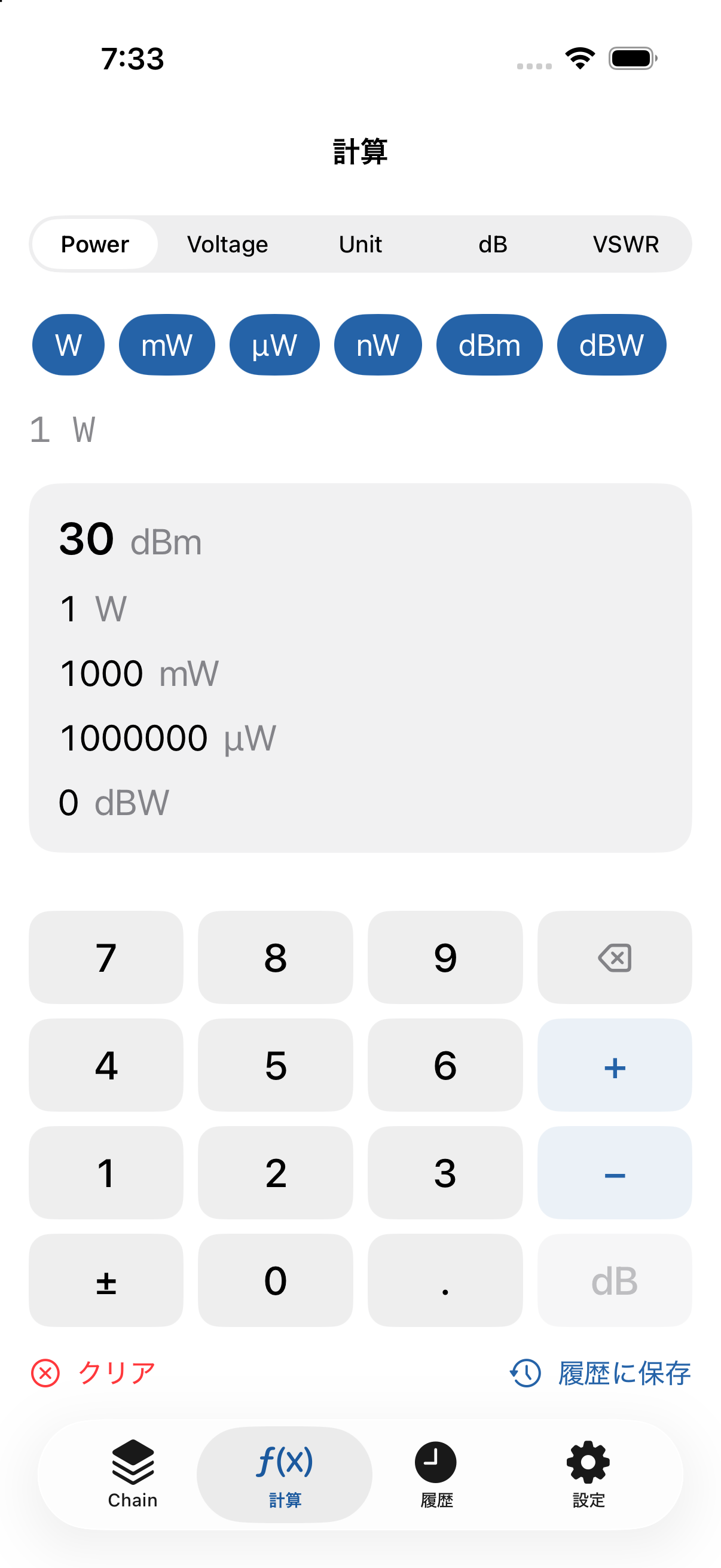
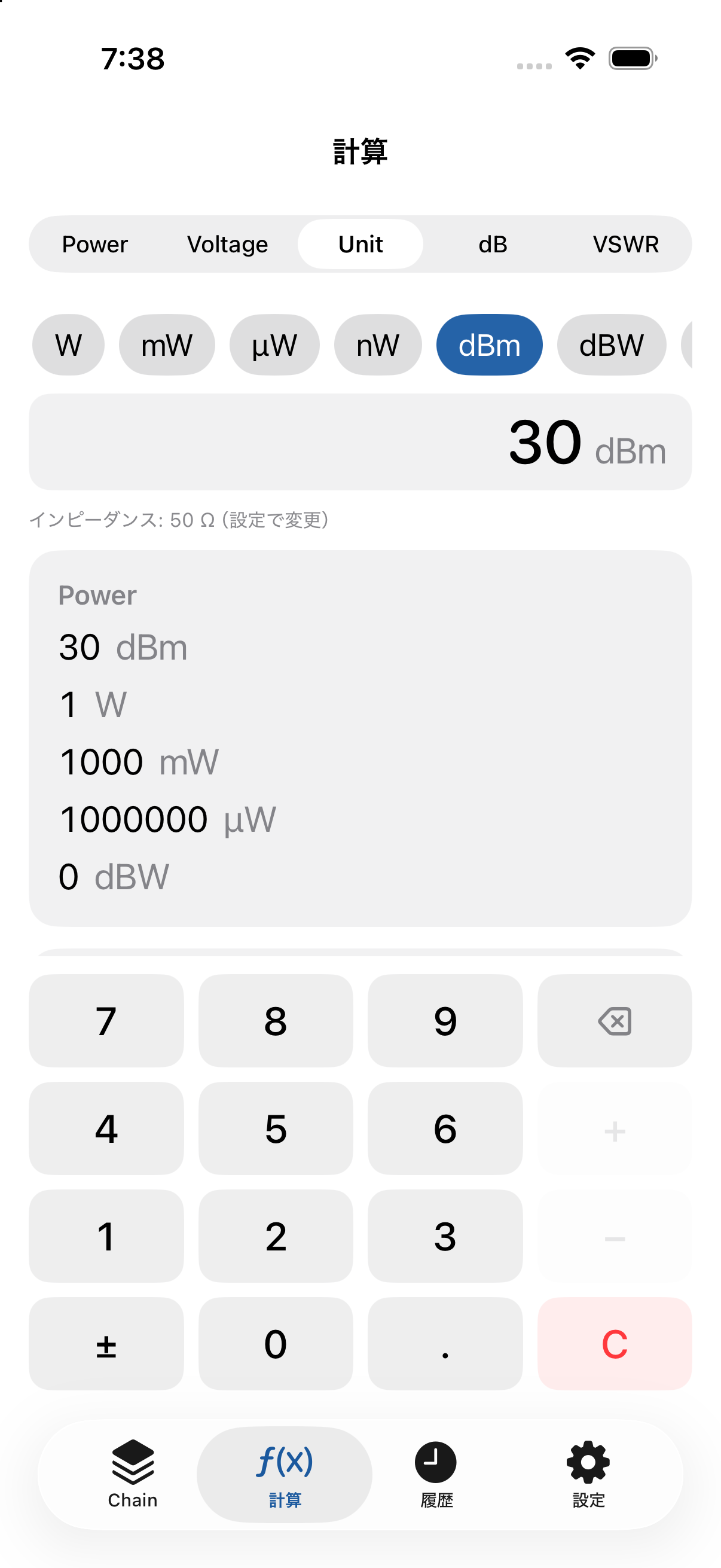
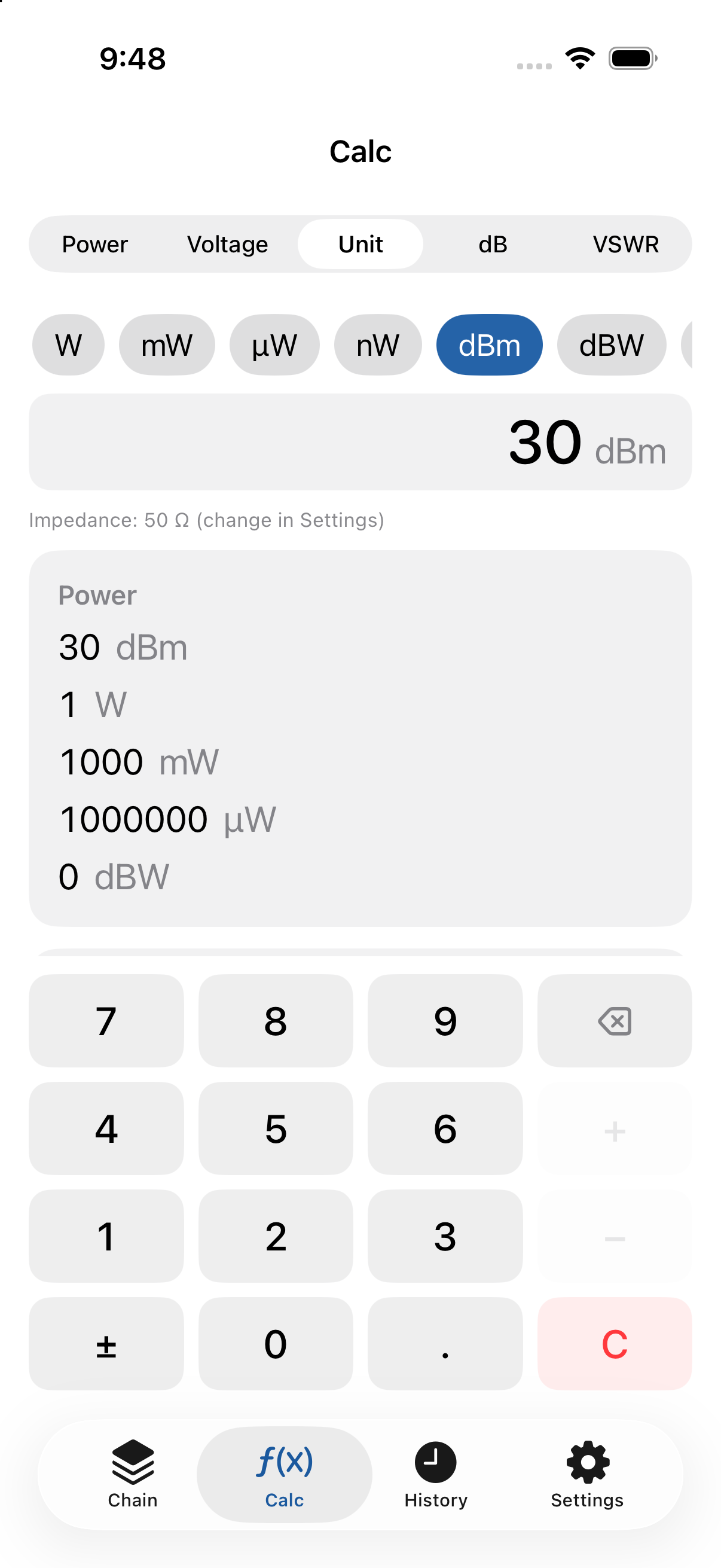
W / mW / µW / nW / dBm / dBW を相互に変換します。1つの値を入力すると、対応する各単位を一度に表示します(例:1 W = 1000 mW = 30 dBm = 0 dBW)。電力単位の計算にインピーダンスは不要です。
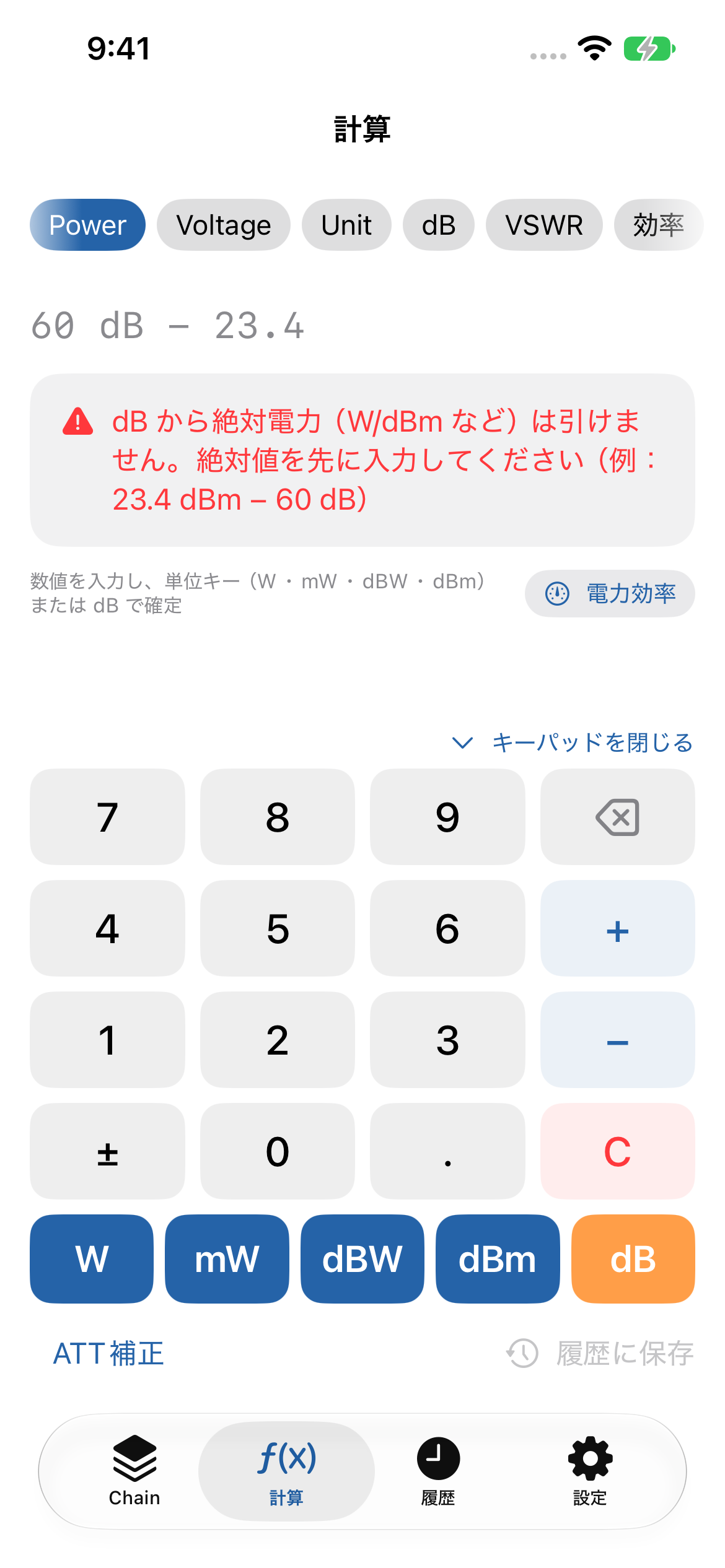
v1.1.1 の変更:単位キー(W / mW / dBW / dBm / dB)をテンキーのすぐ下にまとめ、数値を打ったら手を離さずに単位を確定できるようにしました。テンキー右下の C で全クリアします(⌫ の長押しでも可)。計算できない式(例:60 dB − 23.4 dBm = dB から絶対電力を引く式)では理由と入力例を表示し、入力中の値はそのまま残るので、演算子や順序を直してそのまま続けられます。結果が多いときは結果欄だけがスクロールし、テンキーは常に画面内に表示されます。
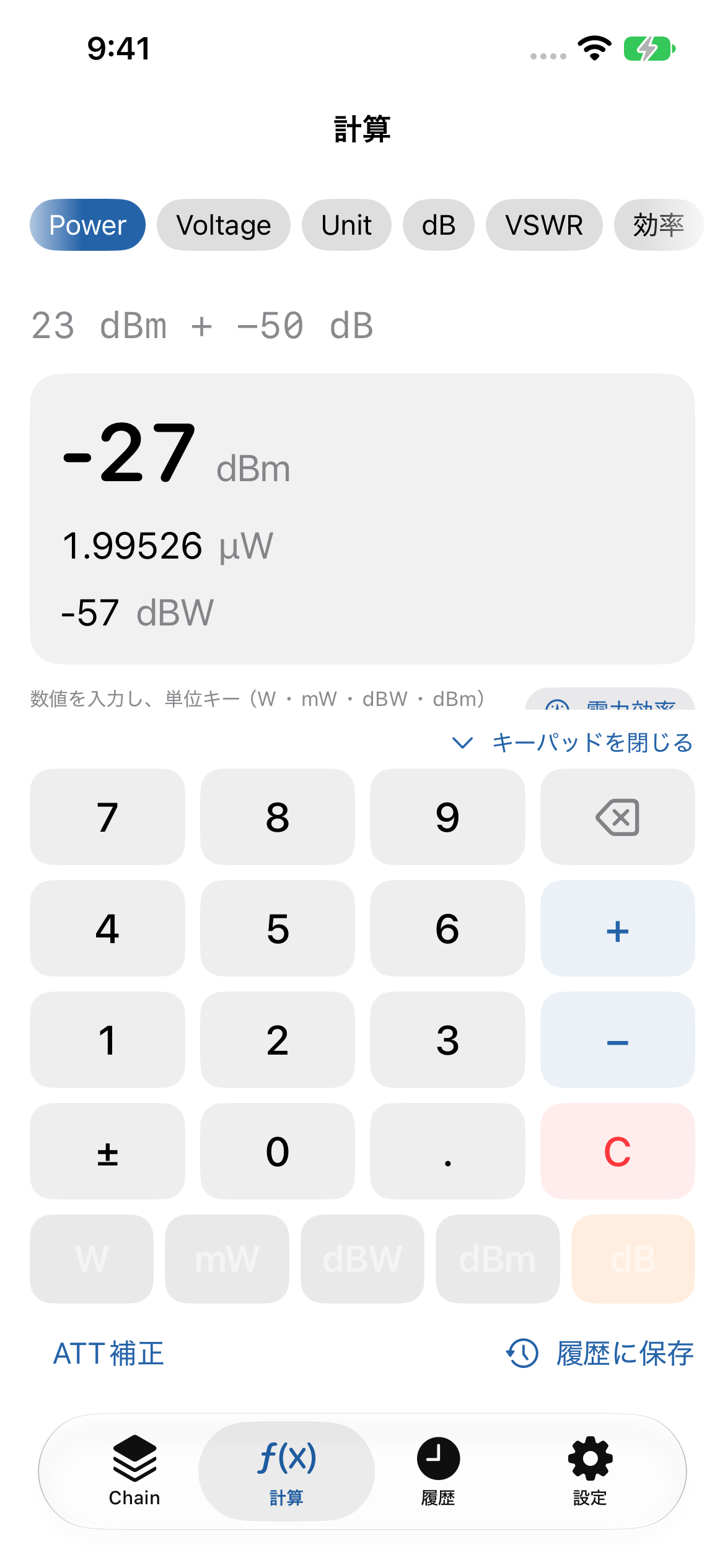
v1.1 の追加:dB から先に入力する式(例:−50 dB + 23 dBm)にも対応しました。W / mW / µW は値に合わせて読みやすい単位で表示します。「ATT補正」をオンにして減衰器の減衰量を入力・固定すると、測定値に減衰量を足した補正値(例:測定 −27 dBm、ATT 50 dB → 23 dBm)を表示します。画面右上の「電力効率」ボタンから電力効率計算を開けます。
RF Chain(RFチェーン計算)
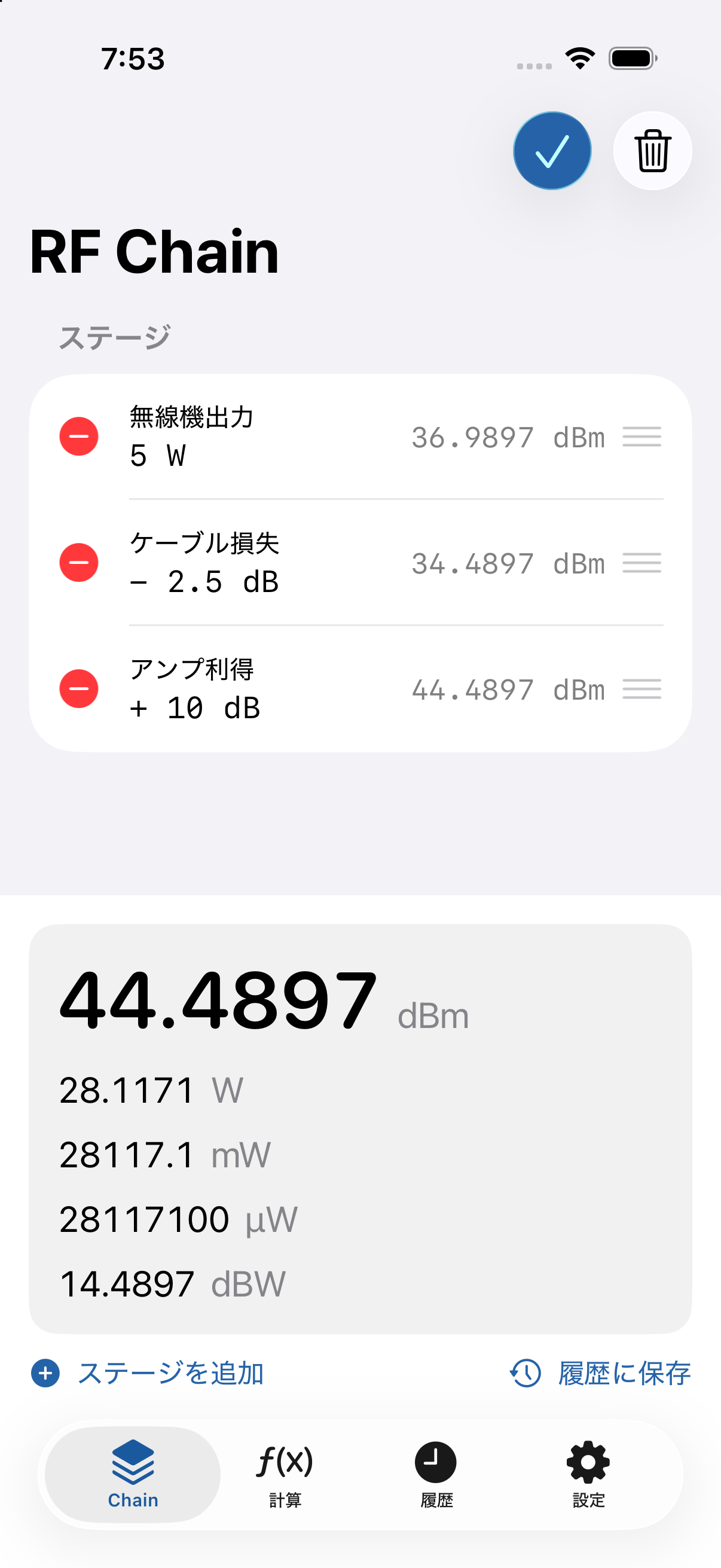
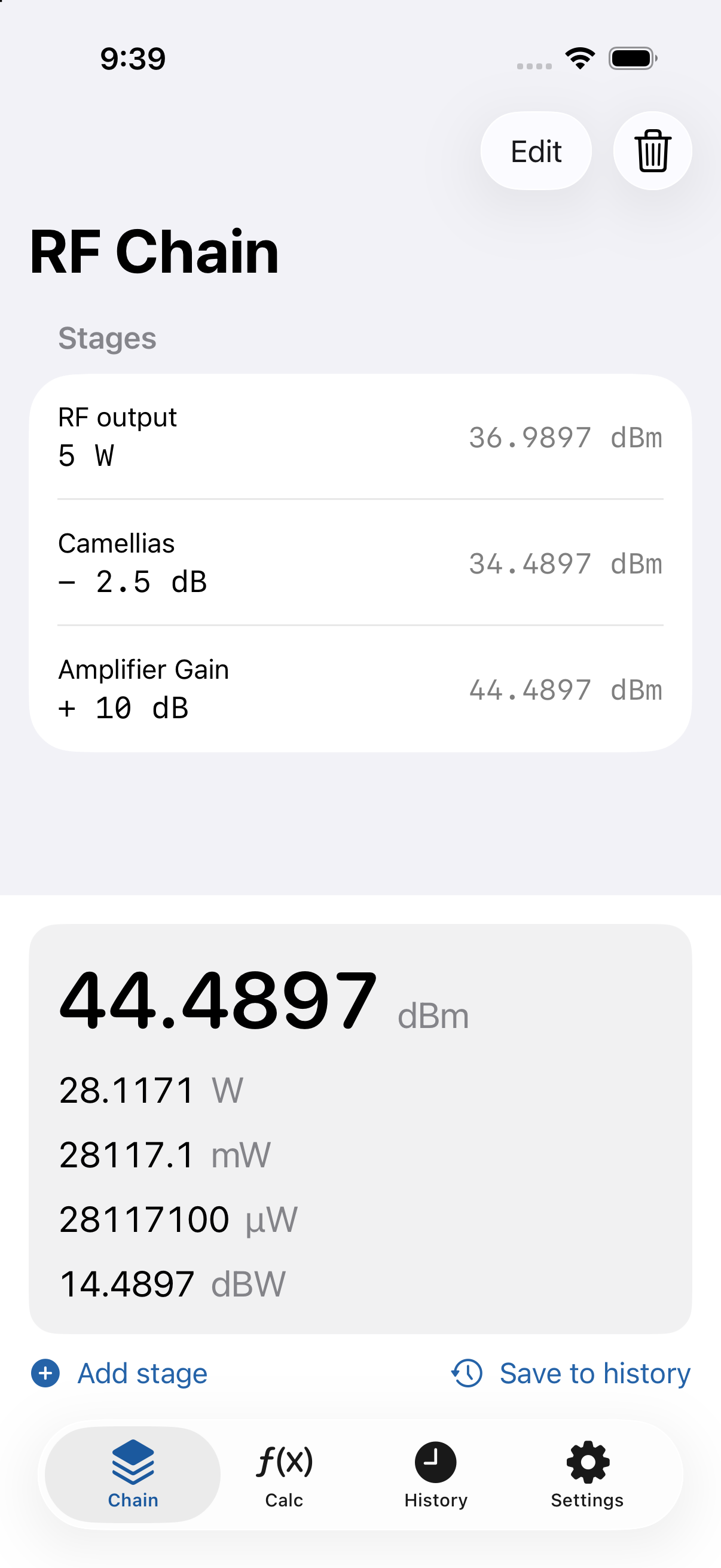
最初に電力の絶対値を入力し、そのあとに各段の利得(+dB)・損失(−dB)を順に足していきます。無線機出力 → ケーブル損失 → コネクタ損失 → アンプ利得 → 最終出力、のように段ごとの値を確認できます。各段には任意の名前を付けられます。
Voltage(電圧)計算
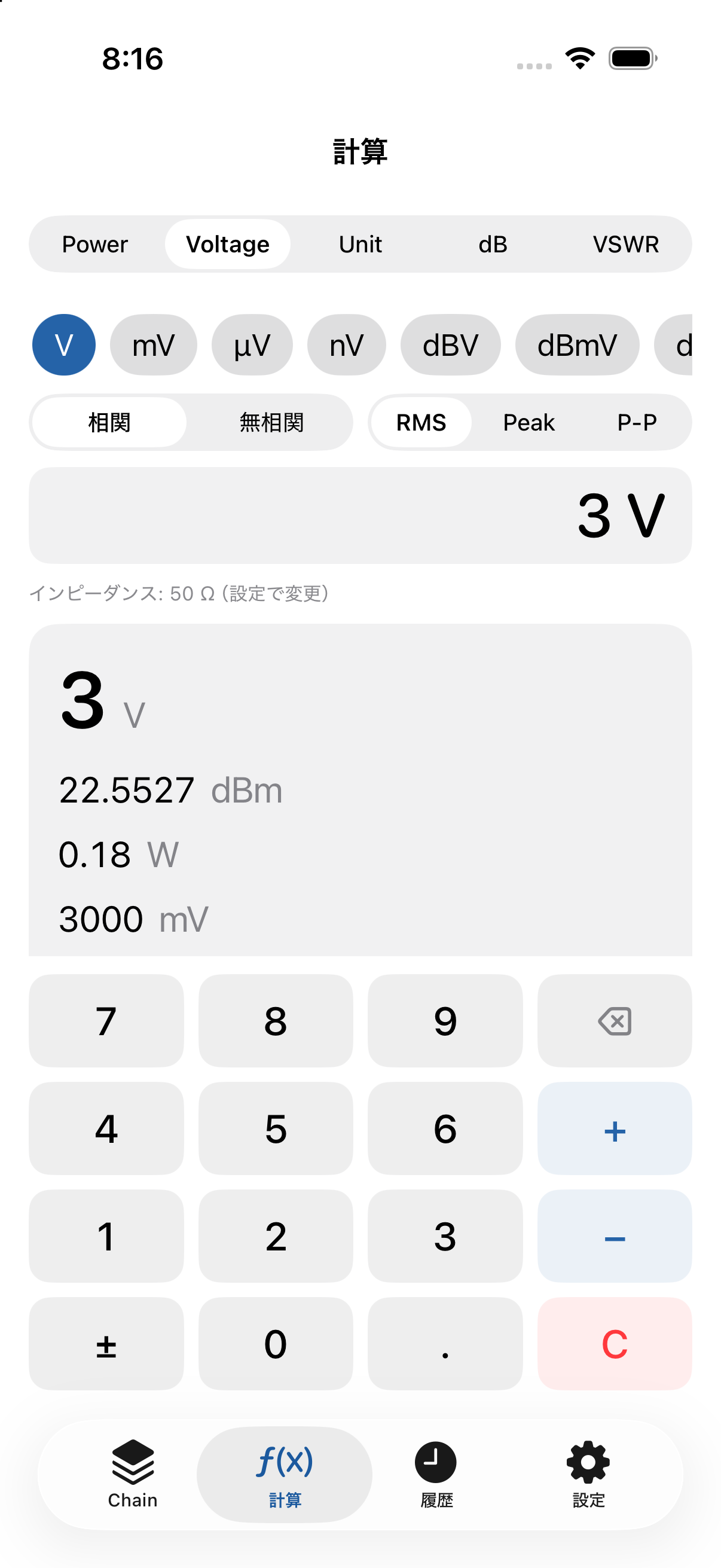
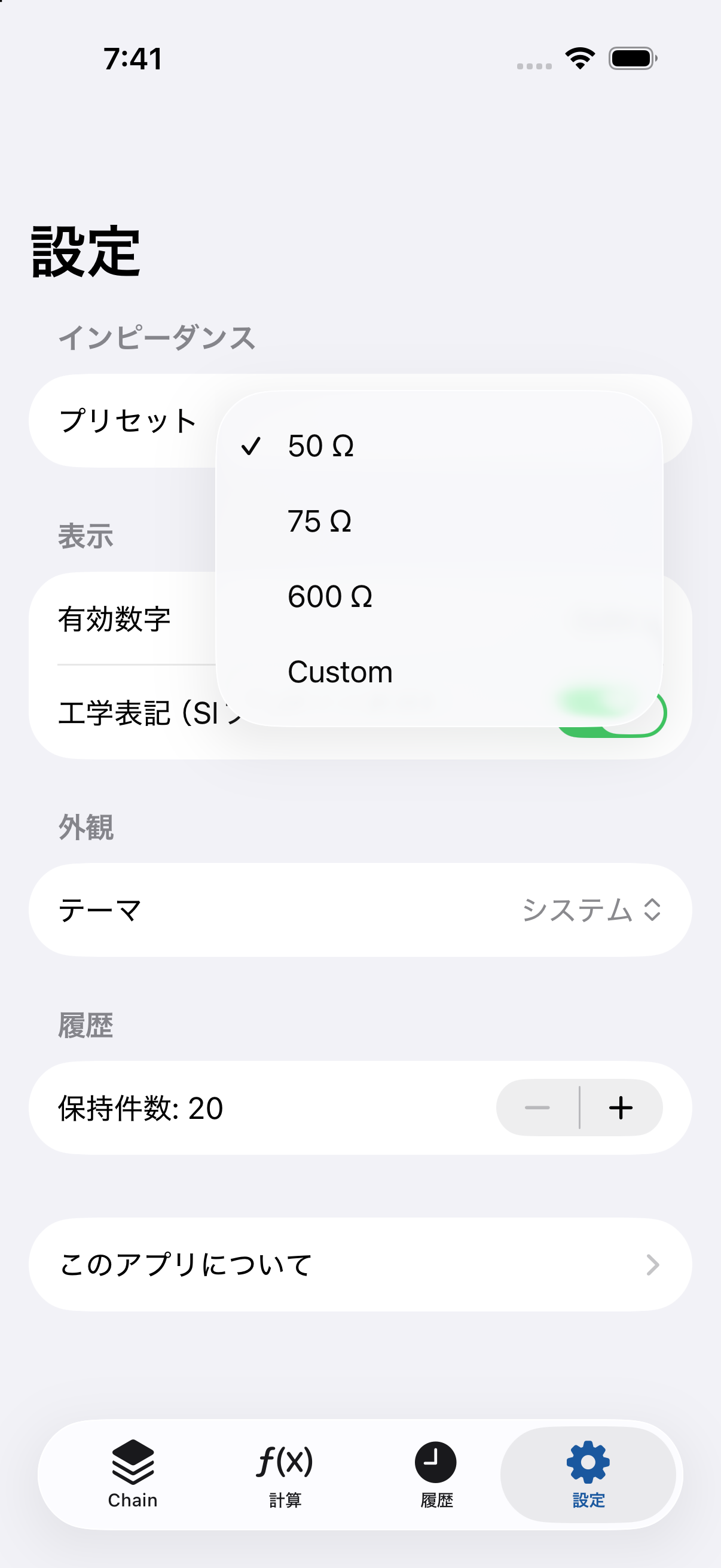
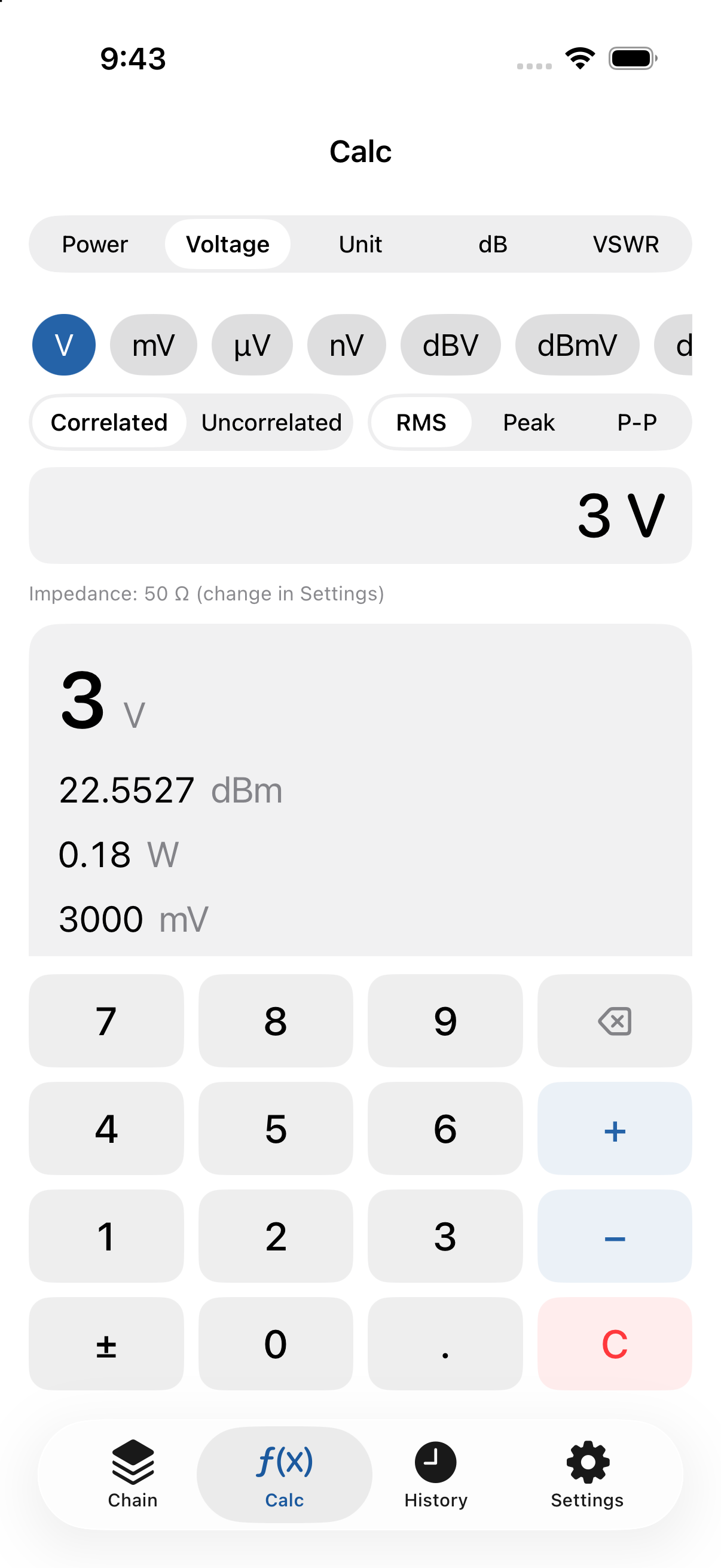
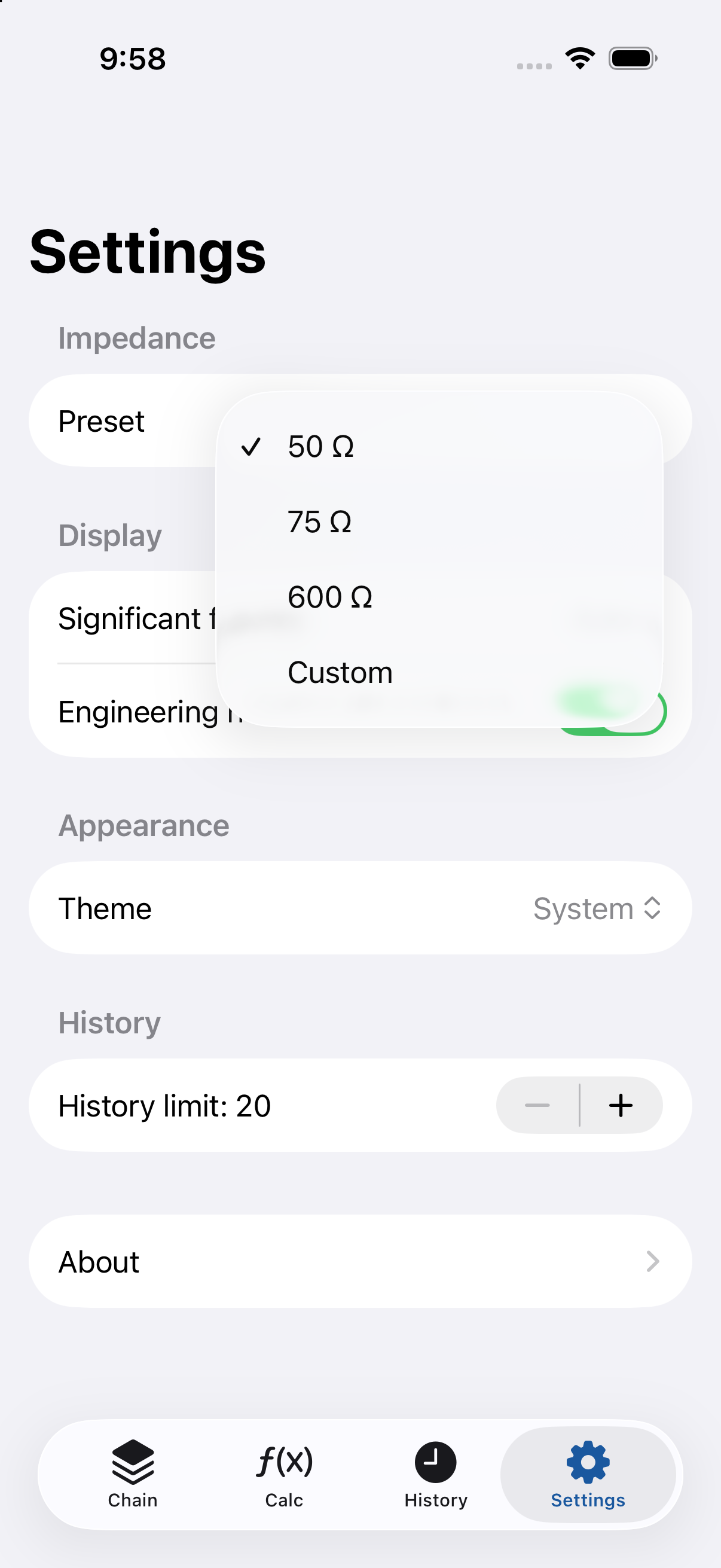
V / mV / µV / nV と dBV / dBmV / dBµV を変換します。電圧から電力・dBm へ変換するときはインピーダンスが必要です(既定 50 Ω、75 / 600 Ω・任意値も選択可)。電圧値は RMS を基準とし、Peak / Peak-to-Peak を選ぶと内部で RMS に換算して計算します。現在の基準は画面に表示されます。
Unit Converter(単位変換)
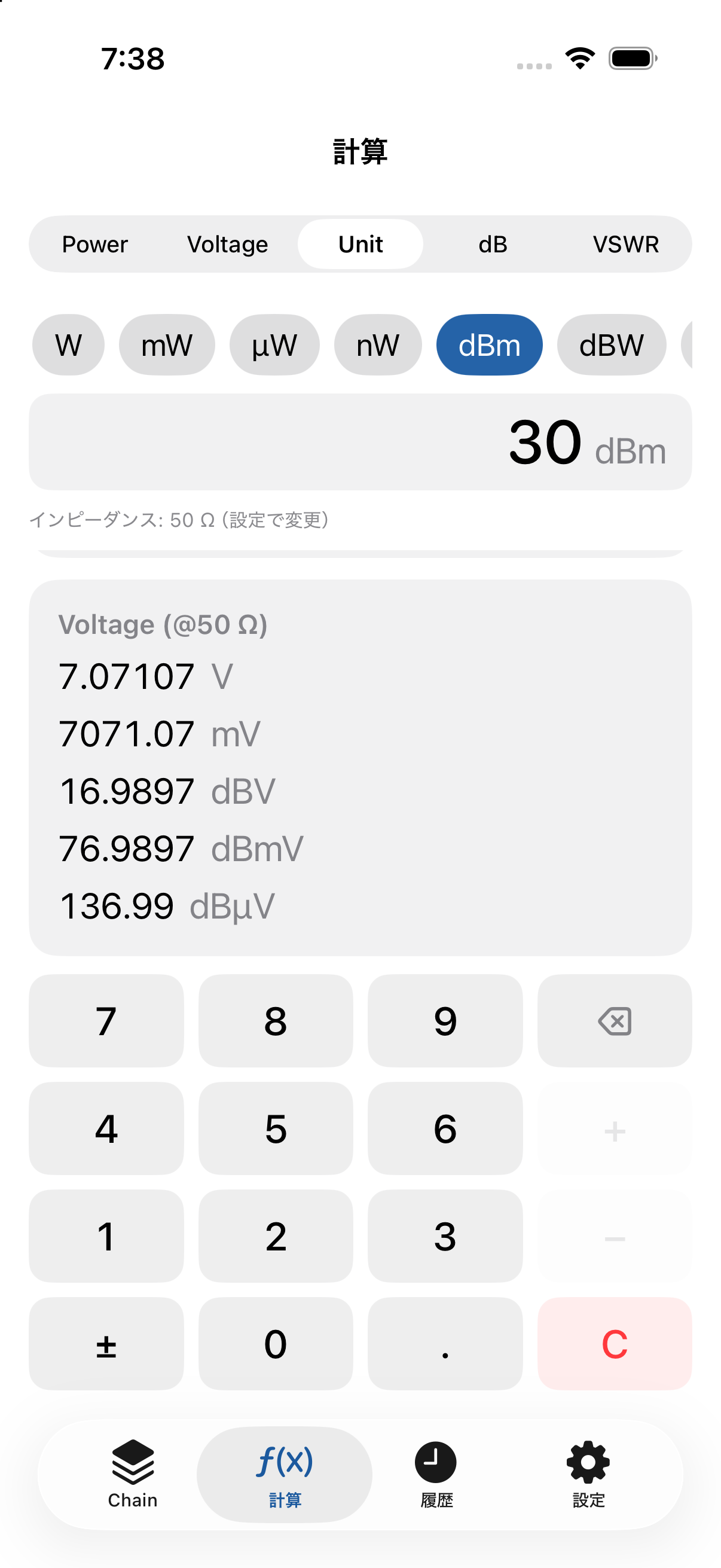
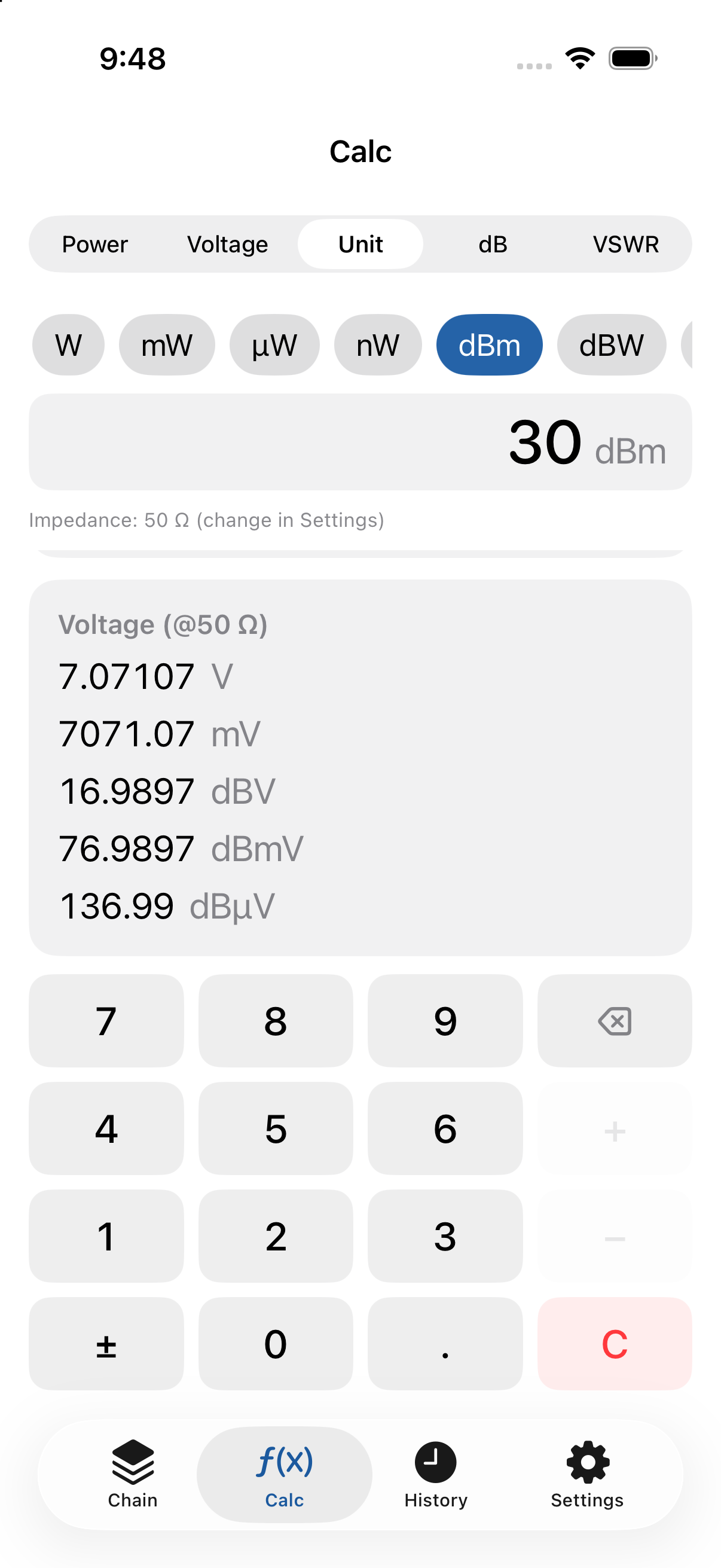
電力・電圧・抵抗(インピーダンス)の単位をまとめて相互変換します。結果は可能な限り複数単位を同時に表示します。
dB Converter(dB 変換)
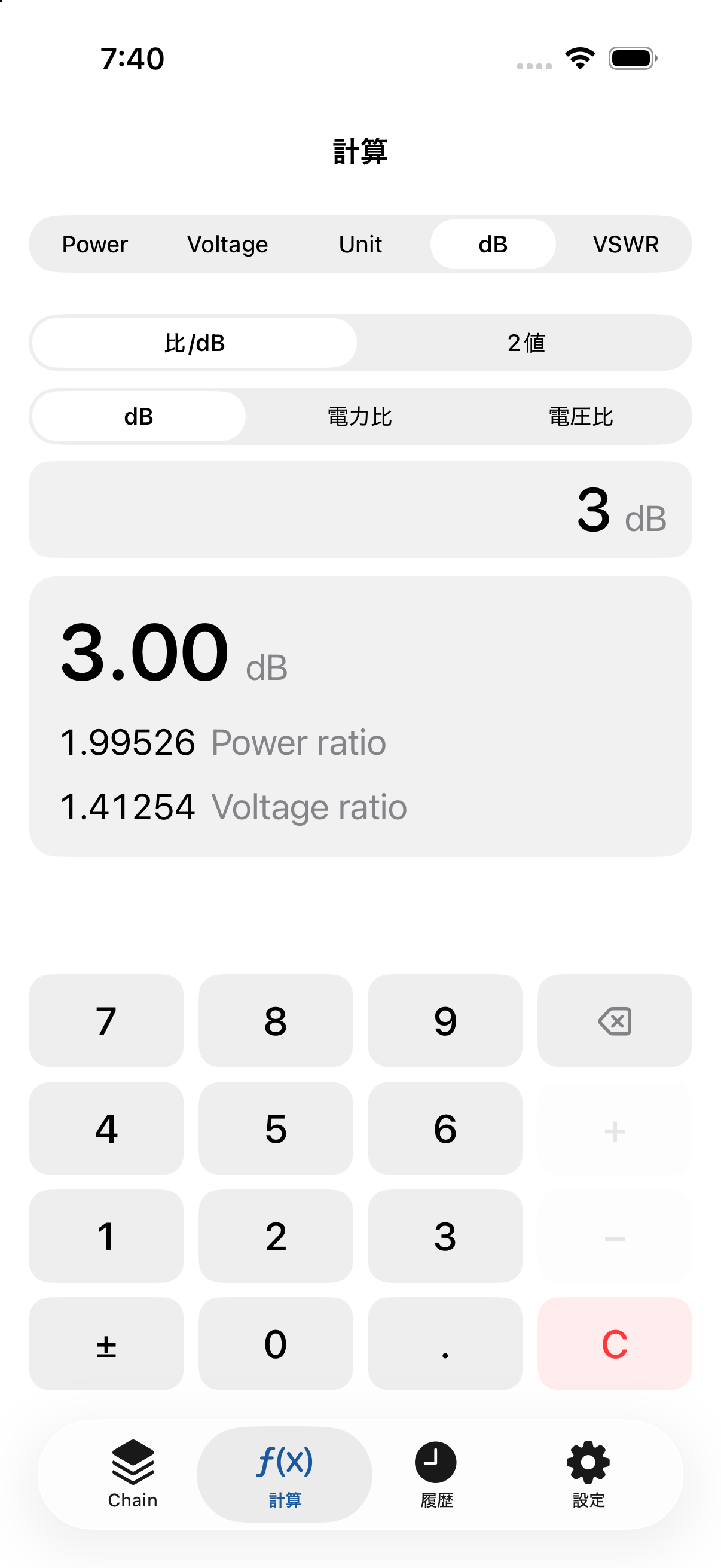
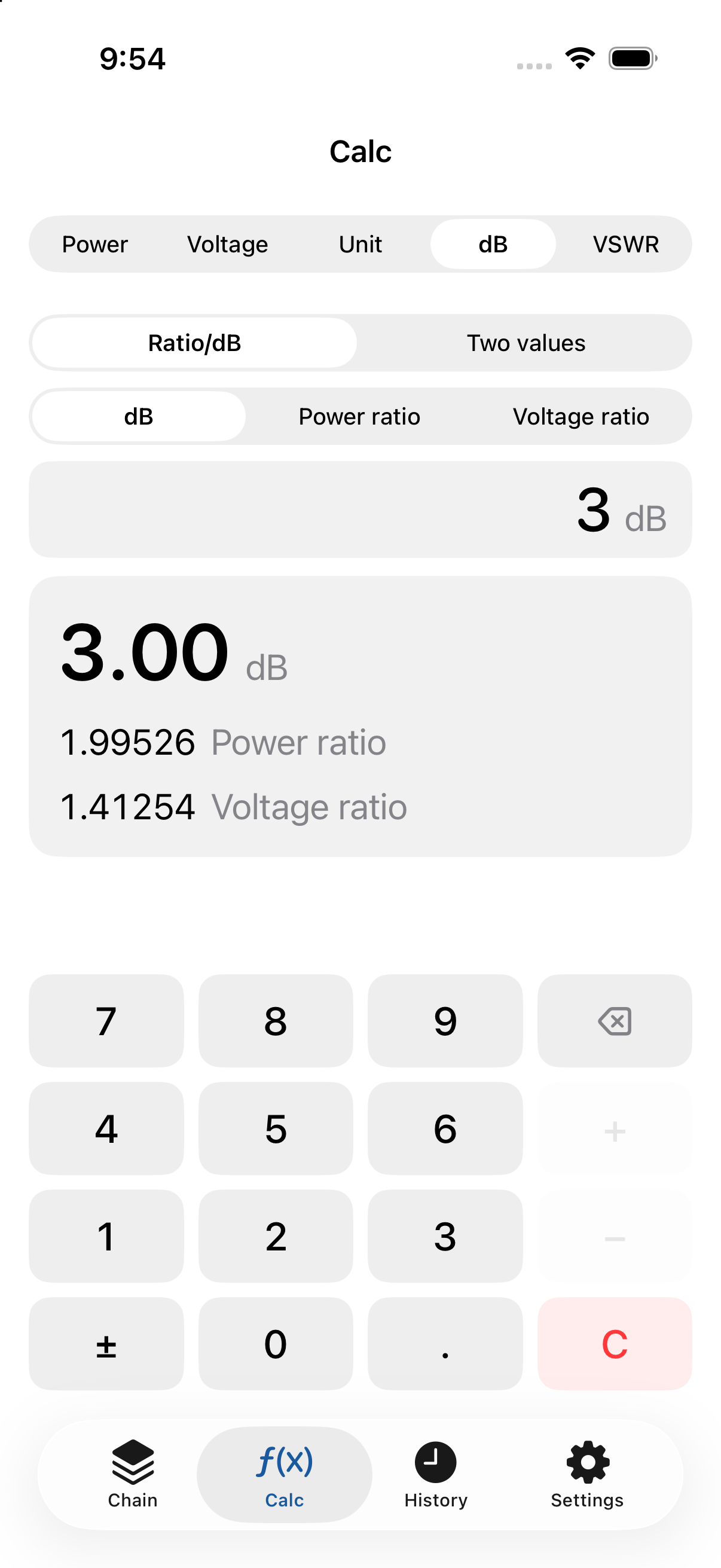
dB と電力比・電圧比を相互変換します(例:+3 dB → 電力比 ≈1.9953 / 電圧比 ≈1.4125)。電力比は 10(dB/10)、電圧比は 10(dB/20) で計算します。
VSWR 計算
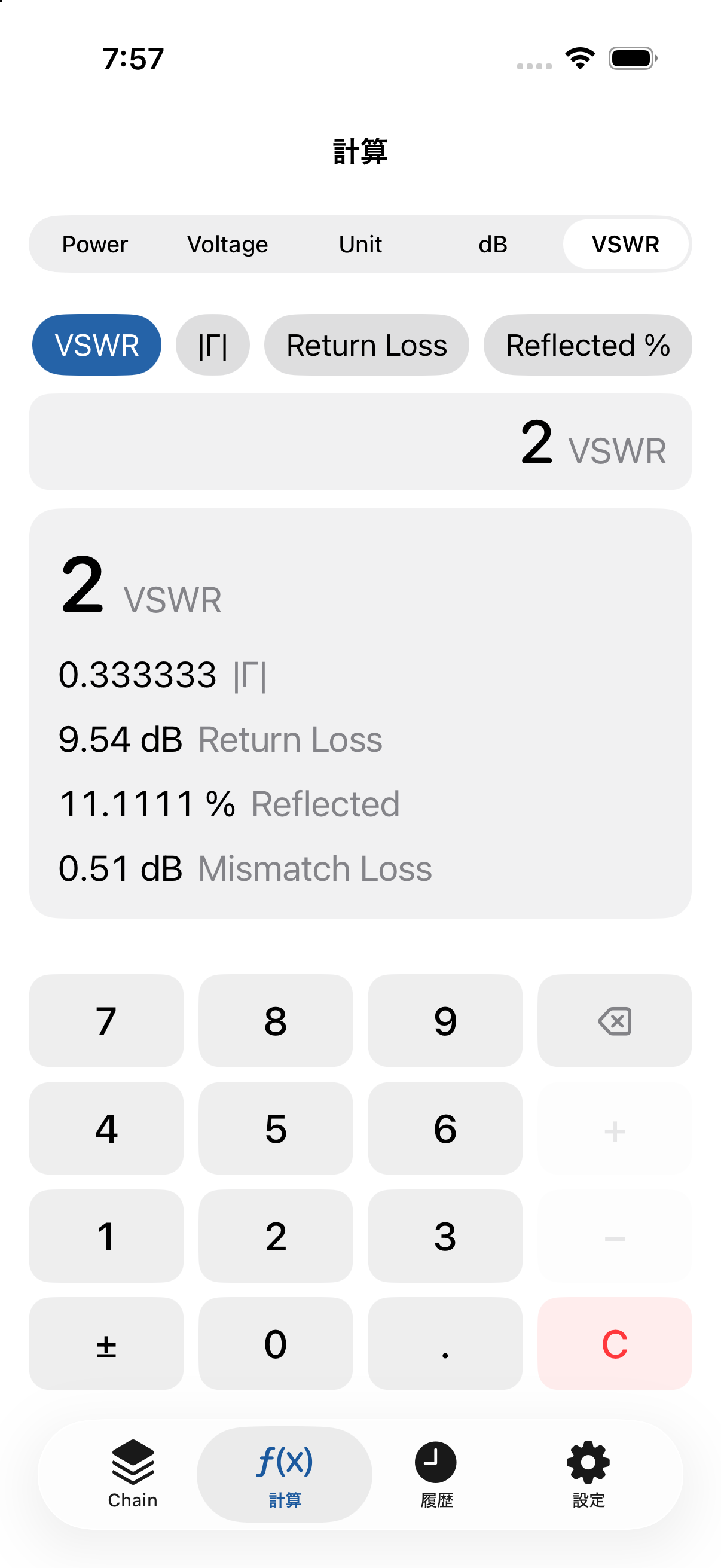
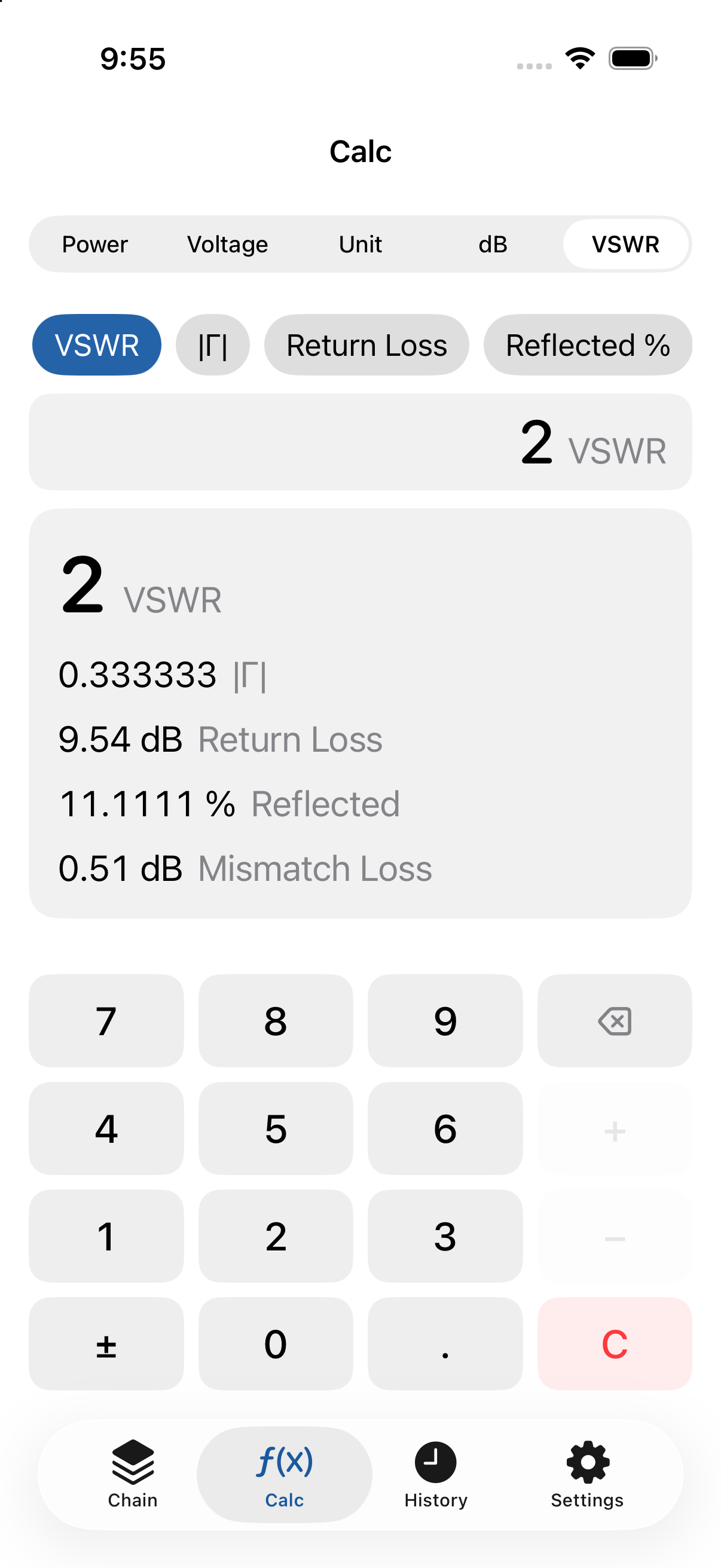
VSWR・反射係数 |Γ|・リターンロス・反射電力(%)・ミスマッチロスを相互に変換します(例:VSWR 2.0 → 反射電力 ≈11.11% / リターンロス ≈9.542 dB / ミスマッチロス ≈0.512 dB)。VSWR = 1.0 のときリターンロスは ∞ と表示されます。
電力効率(v1.1 新機能)
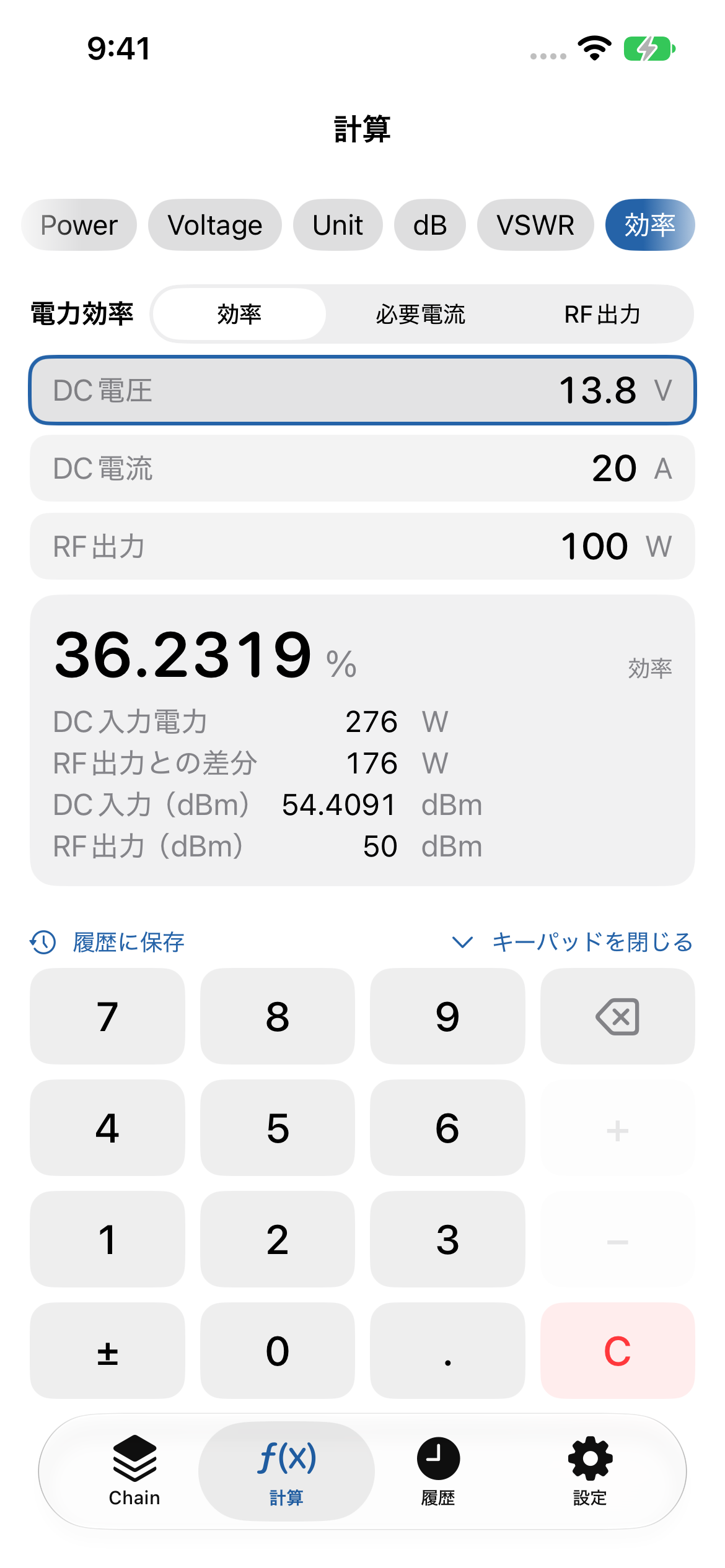
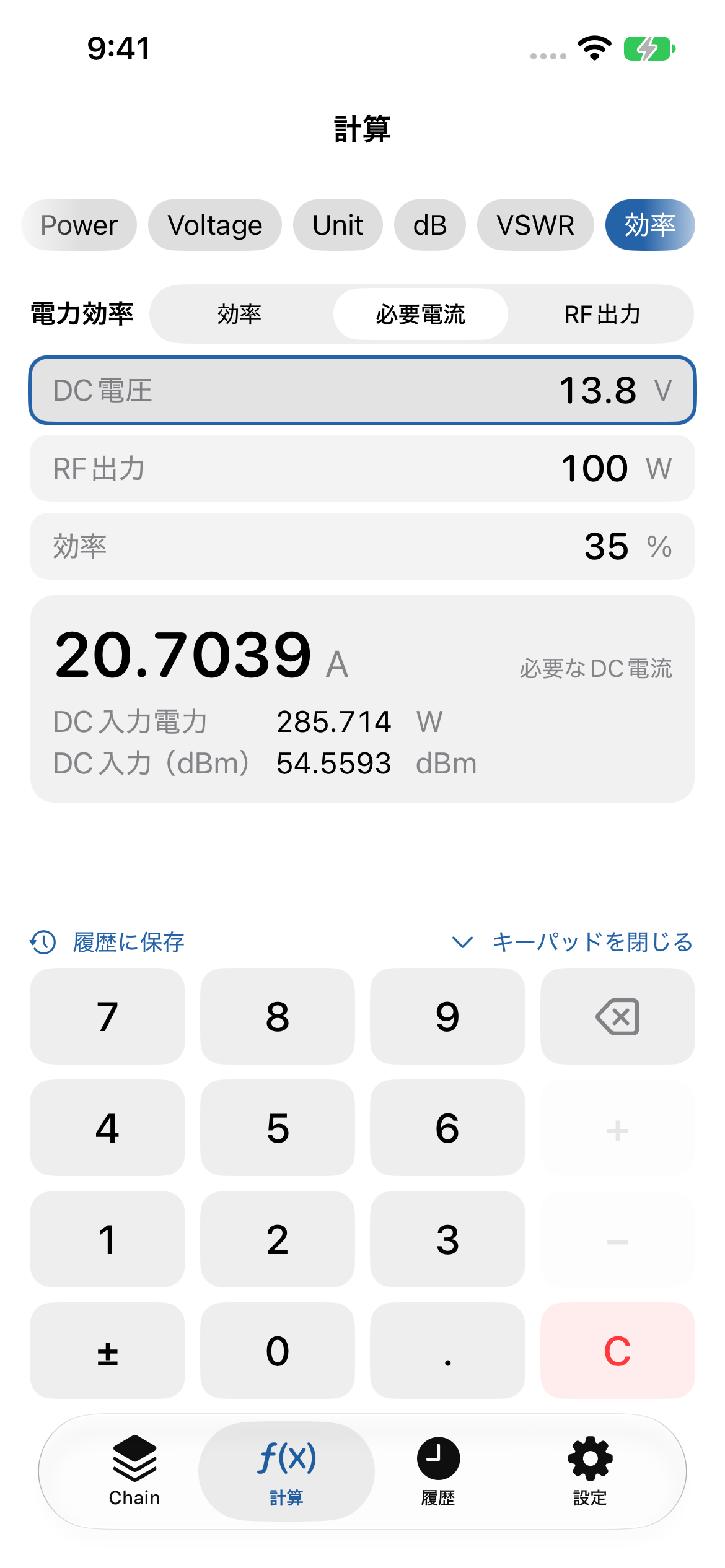
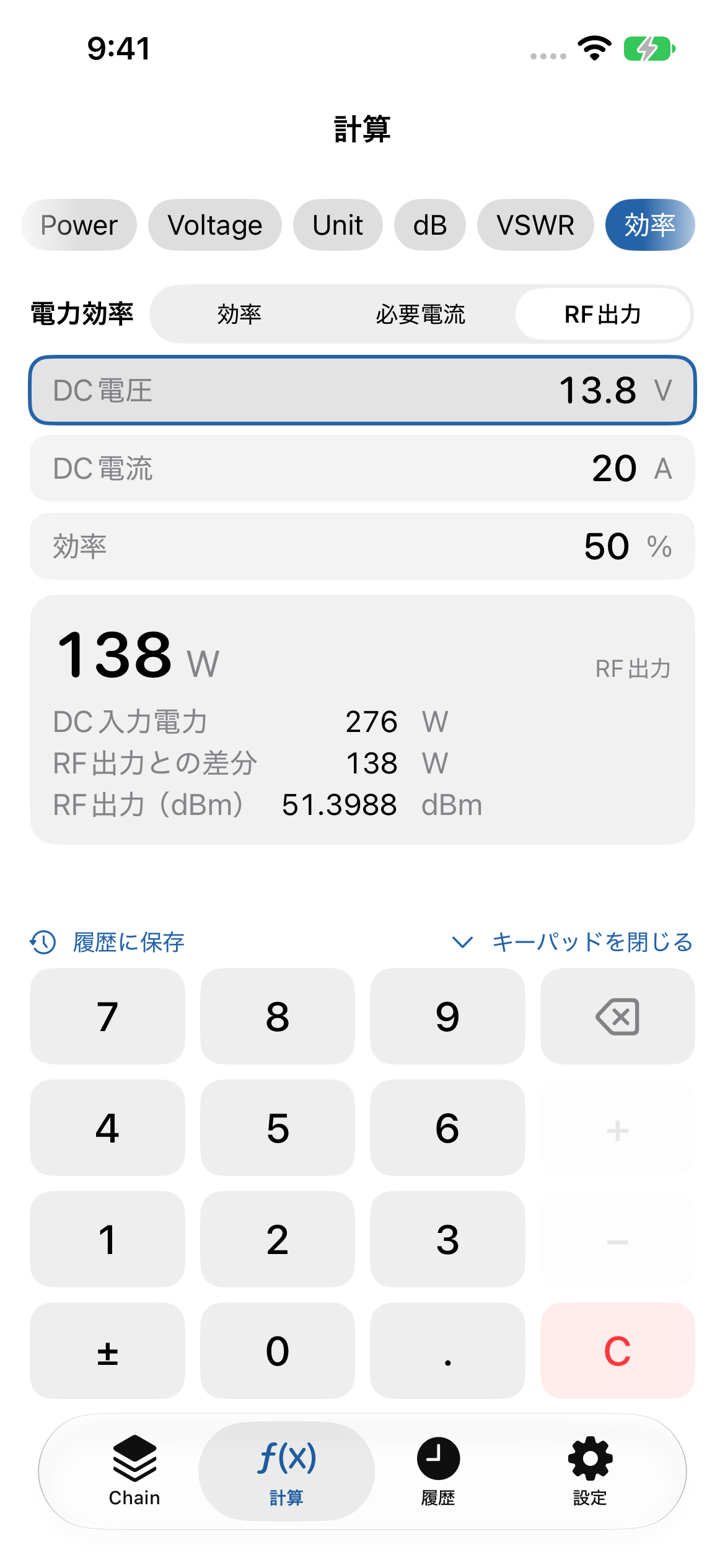
「計算」タブの「効率」を選ぶか、Power 画面の「電力効率」ボタンで開きます。上部の切り替えで、求めたい値を選びます。
- 効率:DC電圧・DC電流・RF出力から効率 η = RF出力 ÷(電圧 × 電流)× 100 を計算。DC入力電力や損失(差分)、dBm 表示も同時に出ます。
- 必要電流:DC電圧・RF出力・効率から、必要な DC 電流を逆算します。電源選びの目安に。
- RF出力:DC電圧・DC電流・効率から、期待できる RF 出力を求めます。
入力欄をタップして選び、キーパッドで数値を入力します。効率は 0 より大きく 100% 以下で入力してください。結果は「履歴に保存」で残せます。
操作のヒント(v1.1)
- 各計算画面の入力内容は、ほかの画面に切り替えても保持されます。
- 「キーパッドを閉じる/表示」でキーパッドを格納でき、結果を広く表示できます。
- ⌫ は短押しで1文字削除、長押しで全クリアです。Voltage では C の位置に ÷ があります。
- 結果が多いときは結果欄だけがスクロールします。計算条件(単位・RMS/Peak/P-P など)を変えると、結果欄は自動で先頭に戻ります。
- 文字サイズを大きくした設定(Dynamic Type)でも、レイアウトが自動で切り替わります。収まらない場合は画面を縦にスクロールしてください。
よくある質問
計算の途中で誤差が出ませんか?
内部計算はすべて倍精度(Double)で行い、途中で丸めません。丸めは表示のときだけ行うため、連続した計算でも精度を保ちます。
「電力は0より大きい値を入力してください」と出ました
0 W は dBm に変換できない(−∞ になる)ため、電力の絶対値は 0 より大きい値を入力してください。なお −30 dBm のような負の dBm は正常な小電力の値です(エラーではありません)。
「VSWR は 1.0 以上を入力してください」と出ました
VSWR は定義上 1.0 未満になりません。反射係数 |Γ| も 0〜1 の範囲で入力してください。
電圧から電力(dBm)に変換できません
電圧↔電力の変換にはインピーダンスが必要です。設定で 50 / 75 / 600 Ω または任意値を指定してください。また、値が RMS / Peak / Peak-to-Peak のどれかを正しく選んでください。
表示の桁数を変えたい
設定で表示桁数(Auto / 有効数字)を変更できます。値の大きさに応じて W / mW / µW などの単位が自動で選ばれます。
ネットワークやアカウントは必要ですか?
不要です。本アプリは完全オフラインで動作し、アカウント登録・通信・トラッキングはありません。計算履歴は端末内にのみ保存されます。
お問い合わせ
不具合のご報告・ご要望は、メールでお気軽にどうぞ。
メール: genre_pincers_3d@icloud.com
Thank you for using RF Calc JP, a tool for RF (radio-frequency) calculations of power, voltage, dB, and VSWR — mixing absolute values with relative values (dB). Here are the basics and common questions.
Key feature: mix absolute values with dB
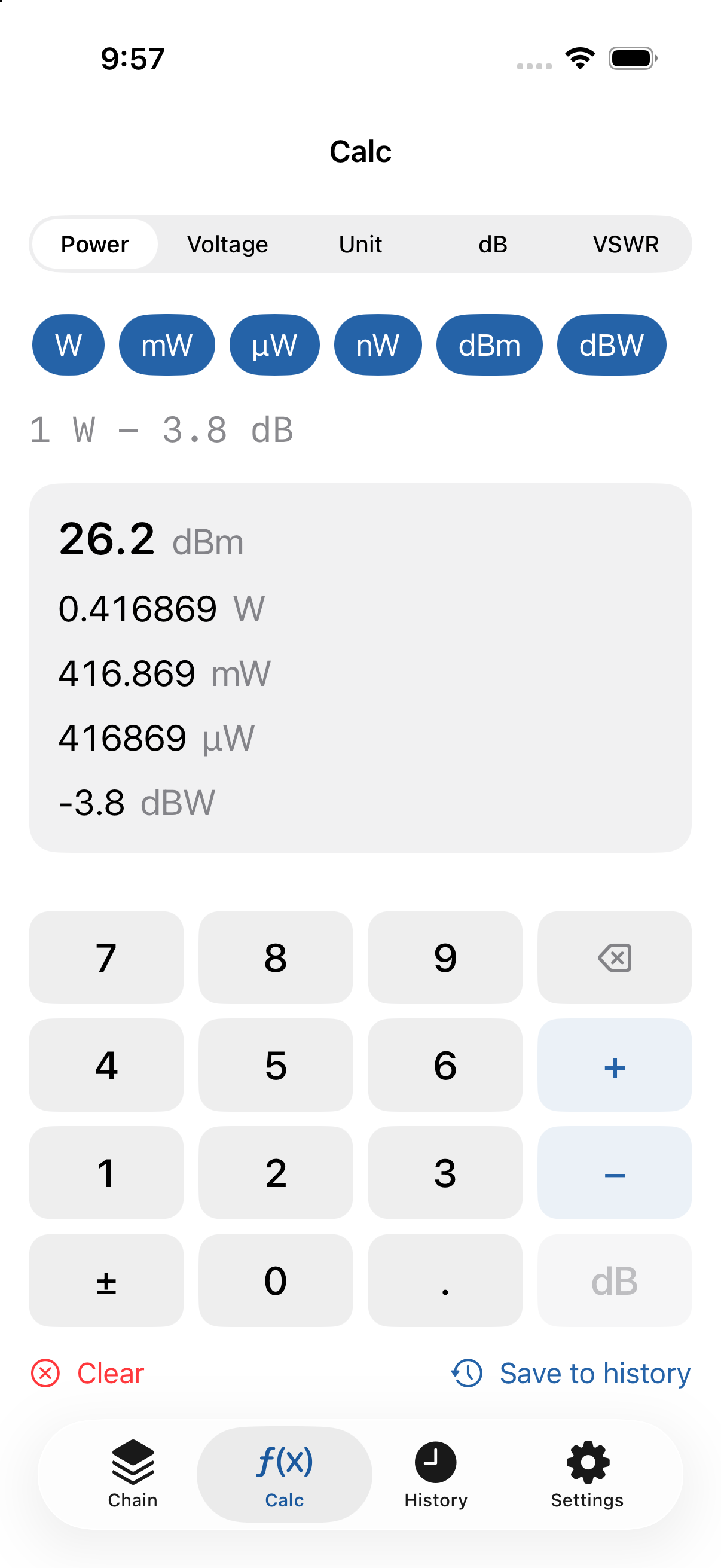
The core of the App is applying gains and losses (dB) to an absolute power value (W / mW / dBm …) in sequence. For example, start from a transmitter’s output and add cable loss and amplifier gain to find the final output.
Example: 1 W − 3.8 dB → 26.2 dBm / 0.4169 W / 416.9 mW
Getting Started
- Pick a calculation type from the tabs (Power / RF Chain / Voltage / Unit / dB / VSWR / Efficiency).
- Enter a value, then confirm it with a unit key right below the keypad (W / mW / dBW / dBm) as an absolute power, or with dB as a gain or loss.
- Use
+−anddBto add gains and losses in sequence. - Results are shown in several related units at once; set the number of digits in Settings.
Using each feature
Power / dBm
Converts among W / mW / µW / nW / dBm / dBW. Enter one value to see the others at once (e.g., 1 W = 1000 mW = 30 dBm = 0 dBW). Power-unit calculations need no impedance.
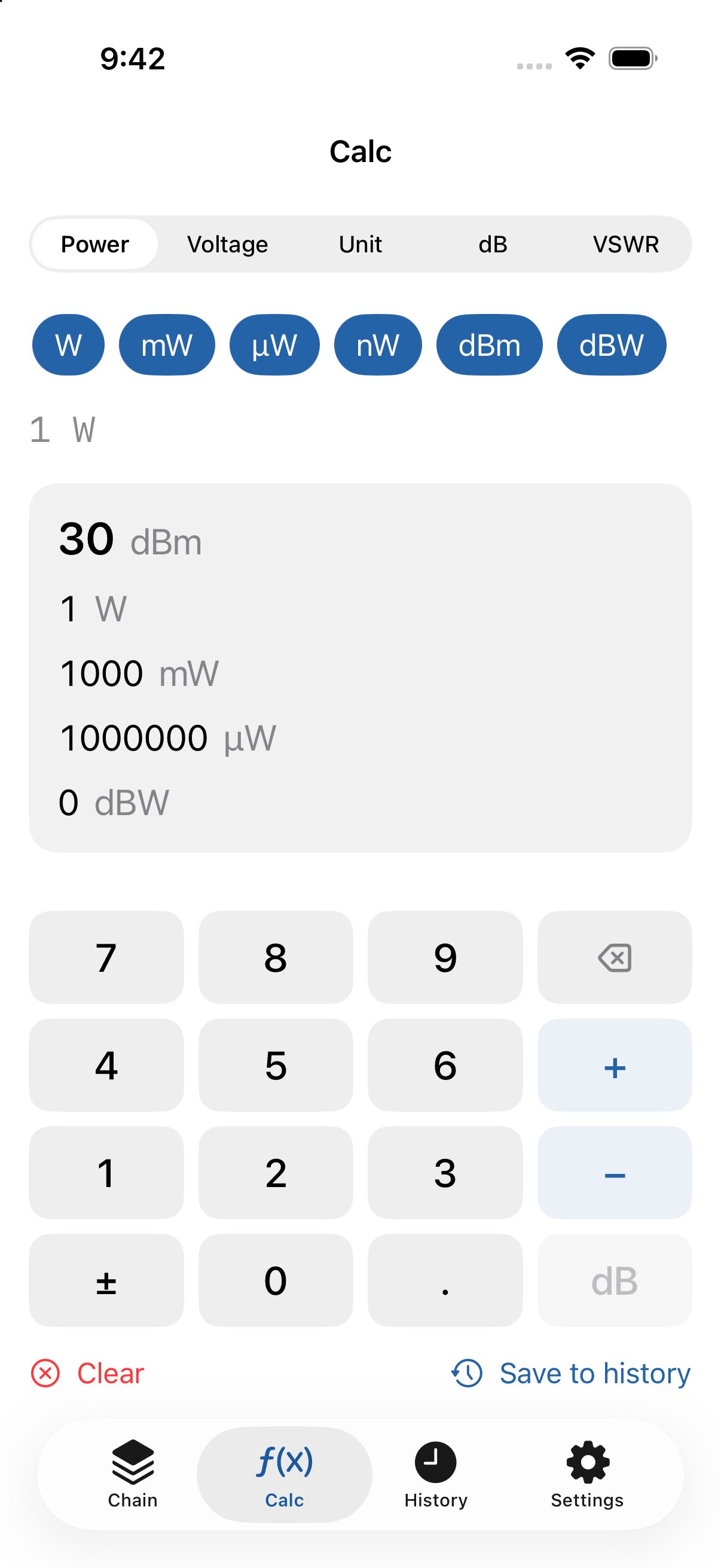
Changed in v1.1.1: the unit keys (W / mW / dBW / dBm / dB) now sit right below the keypad, so you can confirm a unit without leaving the keypad. The C key at the bottom right clears everything (long-press ⌫ also works). Expressions that can’t be calculated (e.g., 60 dB − 23.4 dBm, subtracting an absolute power from dB) show the reason and an example; your input stays so you can fix the operator or order and continue. When there are many results, only the result area scrolls and the keypad always stays on screen.
New in v1.1: expressions can start with dB (e.g., −50 dB + 23 dBm). W / mW / µW is chosen automatically for readability. Turn on “ATT補正” (ATT correction) and lock the attenuation to show the corrected value (e.g., measured −27 dBm with 50 dB ATT → 23 dBm). The Power Efficiency button opens the efficiency calculator.
RF Chain
Start with an absolute power value, then add each stage’s gain (+dB) or loss (−dB) in order: TX output → cable loss → connector loss → amplifier gain → final output. You can see each stage’s value and name each stage.
Voltage
Converts among V / mV / µV / nV and dBV / dBmV / dBµV. Converting voltage to power/dBm requires an impedance (default 50 Ω; 75 / 600 Ω or a custom value are selectable). Voltage is referenced to RMS; choosing Peak / Peak-to-Peak converts to RMS internally. The current reference is shown on screen.
Unit Converter
Converts power, voltage, and resistance (impedance) units together, showing multiple units at once where possible.
dB Converter
Converts between dB and power/voltage ratios (e.g., +3 dB → power ratio ≈1.9953 / voltage ratio ≈1.4125). Power ratio = 10(dB/10), voltage ratio = 10(dB/20).
VSWR
Converts among VSWR, reflection coefficient |Γ|, return loss, reflected power (%), and mismatch loss (e.g., VSWR 2.0 → reflected power ≈11.11% / return loss ≈9.542 dB / mismatch loss ≈0.512 dB). At VSWR = 1.0, return loss is shown as ∞.
Power Efficiency (new in v1.1)
Choose “効率” (Efficiency) in the Calc tab, or tap the Power Efficiency button on the Power screen. Pick what to solve for at the top:
- Efficiency: η = RF output ÷ (DC voltage × DC current) × 100, with DC input power, loss and dBm values.
- Required current: the DC current needed for a given voltage, RF output and efficiency.
- RF output: the RF output expected from a given voltage, current and efficiency.
Tap a field and enter the value on the keypad. Efficiency must be greater than 0 and at most 100%. Save results with “履歴に保存” (Save to History).
Tips (v1.1)
- Each calculator keeps its input when you switch screens.
- Collapse the keypad to see more of the result.
- ⌫ deletes one character; long-press clears everything. Voltage has ÷ in place of C.
- When there are many results, only the result area scrolls. Changing a setting (unit, RMS/Peak/P-P, …) scrolls the results back to the top.
- With larger text sizes (Dynamic Type) the layout adapts; scroll vertically if it doesn’t fit.
FAQ
Is precision lost during multi-step calculations?
All internal math uses double precision and is never rounded mid-calculation. Rounding happens only for display, so chained calculations stay accurate.
“Enter a power value greater than 0”
0 W cannot be converted to dBm (it would be −∞), so enter a power greater than 0. Note that a negative dBm is a valid small-power value (e.g., −30 dBm), not an error.
“Enter a VSWR of 1.0 or greater”
VSWR cannot be below 1.0 by definition. Enter the reflection coefficient |Γ| in the range 0–1.
I can’t convert voltage to power (dBm)
Voltage ↔ power conversion needs an impedance. Set 50 / 75 / 600 Ω or a custom value in Settings, and make sure the value is correctly marked as RMS / Peak / Peak-to-Peak.
Changing the number of digits
Set the display digits (Auto / significant figures) in Settings. Units such as W / mW / µW are chosen automatically based on magnitude.
Do I need a network or an account?
No. The App runs fully offline with no account, no network, and no tracking. Your calculation history is stored only on your device.
Contact
Bug reports and requests are welcome by email.
Email: genre_pincers_3d@icloud.com